Allotment login support
We moved to a new allotment management system on Wednesday 20 May 2026. The new system makes it easier for the allotments team to keep records up to date, send invoices and manage payments. It does not change how you access allotment forms or make payments online.
Managing your allotment plot online
Allotment forms and online services can still be accessed using your My Reading Account.
If you do not have a My Reading Account, you will need to register for an account.
The details you use to create an account must match those that we have against your allotment record. This includes:
- first name
- last name
- email address
If you have an allotment plot, we recently emailed you to confirm these details. If you are still unsure, please check with us before creating an account. You can do this by emailing allotments.reading@reading.gov.uk.
Allowing access
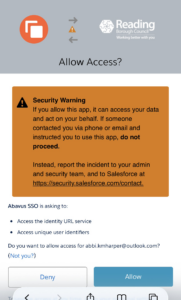
The first time you sign in, you will be asked to allow My Reading Account to connect to our allotment management system.
This lets us securely share your first name, last name and email address between the two systems.
You must allow access when prompted. If you do not, you will not be able to manage your allotment online.
Joint tenancy information
A joint allotment tenancy will remain in both names on our new system, but the plot can only be managed using a single My Reading Account.
If you are a joint allotment tenant, we recently emailed you to confirm the name and email address you need to use when logging in or creating a My Reading Account. If you are still unsure, please check with us by emailing allotments.reading@reading.gov.uk.
My Reading Account support
For advice and troubleshooting tips for My Reading Account, please visit the My Reading Account information and advice page.
Finding online allotment forms
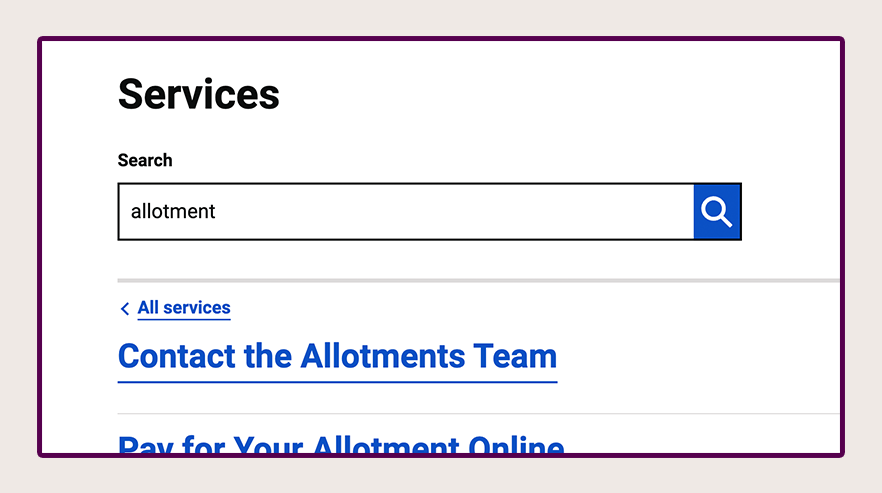
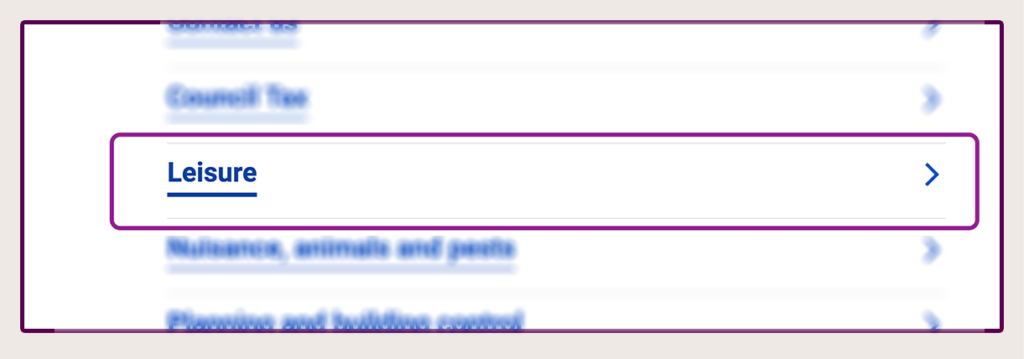
All forms can be accessed from the main allotments page. You can also find the forms by searching the word “allotment” or looking in the ‘Leisure’ category on My Reading Account.
Last updated on 04/06/2026
Allotment login support